 ColonyCat
The TNR workflow
TNR is the operational heart of community-cat work: trap a cat, get them to a clinic for spay/neuter, recover them for a day or two, return them to their colony. ColonyCat is built around this pipeline.
The key idea: a trap night belongs to a colony, but everything after the catch belongs to the cat. You plan "three traps at Maple Lane on Saturday," and then each cat you actually catch gets its own surgery date, recovery, and return, because real cats don't all heal on the same schedule. This chapter walks through planning a trap night and recording the cats you catch.
What you're about to do
- Plan a trap night: pick a colony, how many traps, who's running it.
- Record each catch as it happens, one per cat, with that cat's own surgery and return.
- Watch each caught cat move through the pipeline: Trapped → Recovering → Returned.
- Optionally, export to your calendar or get day-before reminders.
Step 1: Plan a trap night
Go to 🪤 TNR in the nav and tap the ➕ button at the top of the board. The same ➕ sits on the TNR calendar (Step 4), so you can start a plan from whichever view you're on. Planning a trap night is an OrgAdmin or staff job, so the ➕ only shows if that's you.
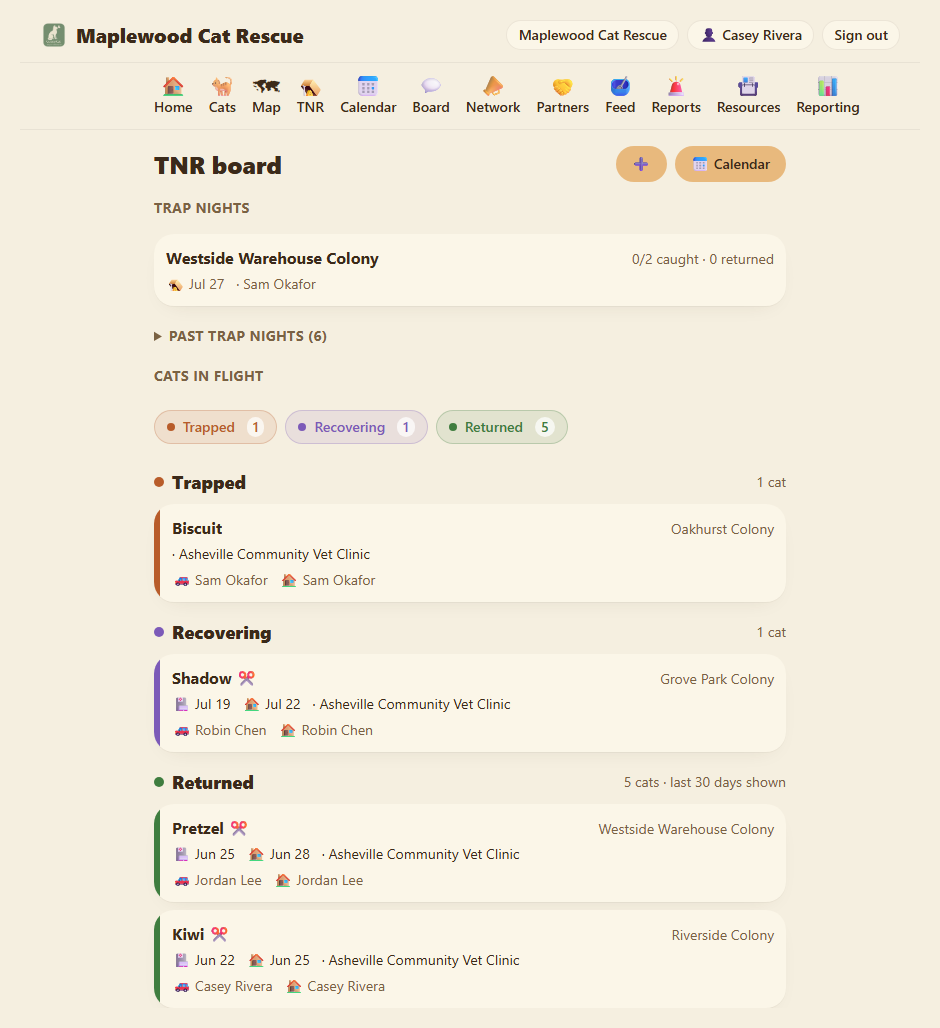
The form is short, because a trap night is just the plan for the evening:
Colony. Which colony you're trapping at. This is the only required field.
How many traps? How many traps you're putting out. It's just the plan; the catches you record below are what actually happened.
Trap date. The night you're setting traps. Leave it blank if you're not sure yet.
Hoping to catch (optional). Free text, only if you're after specific cats ("the orange tom who keeps dodging us"). Most trap nights are "whoever shows up," so it's fine to leave empty.
🪤 Trapper. Who's running the trap night. Type a name; members and volunteers autocomplete, or enter free text. The trapper gets the day-before reminder.
Notes. Anything about the site. "Park behind the blue house, the gate sticks."
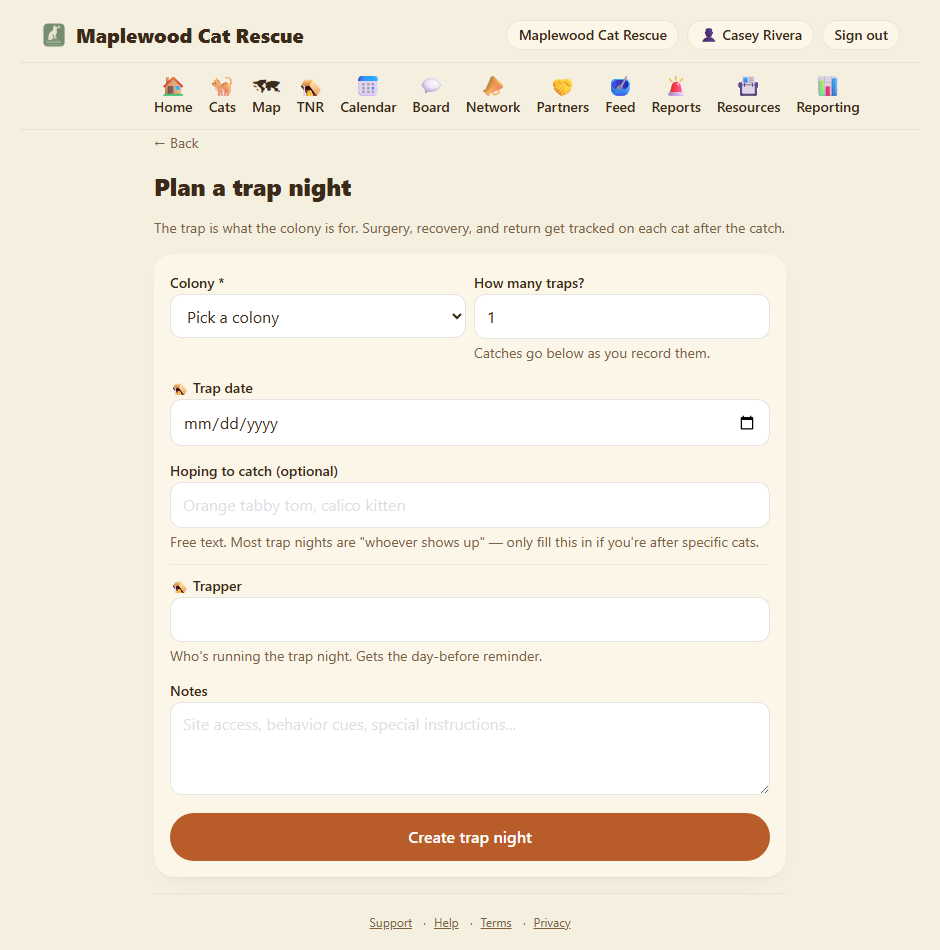
Tap Create trap night. You land on the trap night's page, ready to record catches.
Step 2: Record your catches
The trap night page shows the plan at the top (traps, date, trapper) and a Catches section below. Each cat you catch becomes one catch. Tap ➕ Log a catch.
Each catch is where the per-cat detail lives:
Cat. Pick a cat from the colony. The list only shows cats from that colony that are still catchable, so it quietly leaves out any cat marked Adopted or Deceased, and any cat you've already logged on this trap night. Caught one you don't have a record for yet? Use the Add a new cat link first, then come back and add the catch.
Age at this service. The cat's age (Kitten, Adult, or Unknown) at the time of this TNR. It pre-fills from the cat's own Age, but you can adjust it here without changing the cat's record. They can differ: a kitten you trapped last spring is an adult on the cat's profile now, but the surgery you're logging happened while she was still a kitten, and the age-at-service is what feeds the monthly Shelter Animals Count kitten/adult split.
Status. Where this cat is right now: Trapped → Recovering → Returned. A fresh catch starts at Trapped.
Surgery and return dates. This cat's clinic day and the day they go home. Each cat tracks its own, so a kitten that needs an extra recovery day isn't tied to the rest of the night.
Clinic. Free text, Spay-Neuter South GA. If you've used it before, type a few letters and it suggests. Drop-off and Pick-up times pre-fill from the clinic's saved defaults (set up under 📇 Resources in the nav, see the Resources chapter).
🚗 Transporter. Drives this cat to and from the clinic. Gets the day-before surgery reminder.
🏠 Recovery caregiver. Hosts this cat in a crate for a day or two after surgery, then returns them. Gets the day-before return reminder.
Ear-tipped at surgery. Tick this when the clinic adds the universal ear-tip mark. Most TNR clinics do it automatically.
Notes. Anything cat-specific. "Pumpkin is pregnant, confirm with clinic before surgery."
A time-saver: when you add a second or third catch on the same trap night, the clinic, transporter, caregiver, and dates pre-fill from your last catch. Caught five cats headed to the same clinic on the same day? Fill it in once, then just pick each cat.
Tap Add catch. It appears in the Catches list, color-coded by status.
Step 3: Watch the board
The 🪤 TNR board has two parts.
Trap nights up top: your upcoming and recent operations, each showing the colony, date, trapper, and a "caught X of Y" count. Past trap nights tuck into a collapsible section so the board stays focused on what's next.
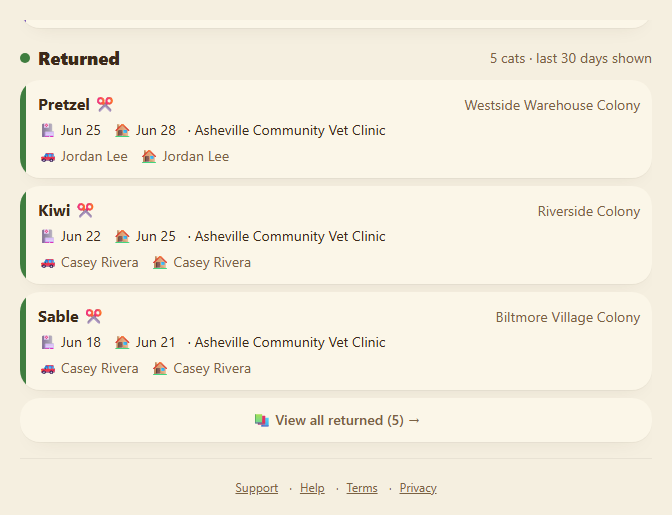
Cats in flight below: every caught cat, grouped into Trapped → Recovering → Returned. This is the per-cat pipeline, tap the colored pills at the top to jump to a section.
How a cat moves:
- Trapped. In a trap or carrier, waiting for surgery.
- Recovering. Surgery done, healing in a crate. Move here when you pick up from the clinic.
- Returned. Back in their colony, healthy and free. Move here on release day, and tick Ear-tipped on the catch if the clinic did it.
To move a cat, tap its card to open the catch and change the Status. No drag-and-drop, an explicit tap feels more deliberate when you're tracking something this important.
The Returned column only shows the last 30 days. Once a return is more than a month old it drops off the board, which keeps the column from growing forever as your successful returns pile up. Nothing is lost: the column header notes it's showing the recent window, and a 📚 View all returned link opens the full history at /tnr/returned, every cat you've ever returned, newest first.
Step 4: Calendar view
The board is great for "what's in flight right now" but lousy for "what's happening on June 18th." For that, tap 📅 Calendar at the top of the TNR page.
You get an agenda of the next few weeks: trap nights on their trap date, and each cat's surgery and return days. Tap any day to see the detail.
There's also a 📅 .ics download you can subscribe to in Google Calendar, Apple Calendar, or Outlook, handy when several people are involved and you want everything in one place.
Step 5: Day-before reminders
ColonyCat emails the right person a day-before reminder, automatically:
- the trapper the night before the trap date,
- the transporter the day before a cat's surgery,
- the recovery caregiver the day before a cat's return.
This only works for people whose names match a member or volunteer record in your system, free-text names the system can't reach don't get reminders.
Where you are now
- You have a trap night planned and on the board.
- Each cat you caught is tracked individually, with its own surgery and return.
- The assigned volunteers will get reminders the day before their part.
In Chapter 5 we cover the everyday work of feeding logs, the small daily entries that catch problems early.
A few sanity-savers
- One trap night, many cats. You don't make a separate plan per cat anymore. Plan the night once, then log each catch under it. Each catch still tracks that cat's recovery on its own.
- Caught a cat you've never seen? Add it as a new cat to the colony first, then log the catch. The trap night is waiting for you when you come back.
- Missed a date? Open the trap night or the catch and change it. No drama, no penalties. Real life happens.
- Volunteer cancels? Edit the trap night (trapper) or the catch (transporter / caregiver). Reminders fire to whoever's listed at send time.
- Don't move a cat to Returned until they're actually back. The board shouldn't lie. A cat isn't Returned until they walk back into their colony.
→ Next: Chapter 5: Feeding logs