 ColonyCat
The member board
The board is a private discussion space for your group. Think of it as the in-app replacement for the group chat or Facebook group you'd otherwise use to coordinate: questions, announcements, "who can trap Saturday," "vet drop-off is 7:30 sharp." It's visible only to members of your rescue, and it's text plus light formatting, no photo uploads.
This chapter covers posting, replying, pinning, and keeping notifications under control.
What you're about to do
- Open 💬 Board and read what's there.
- Write a post (with markdown if you like) and reply to others.
- Pin important announcements, and tidy up posts.
- Decide whether you want an email when there's something new.
Step 1: Open the board
Tap 💬 Board in the navigation. A small number on the icon tells you how many posts you haven't seen yet. Opening the board clears it.
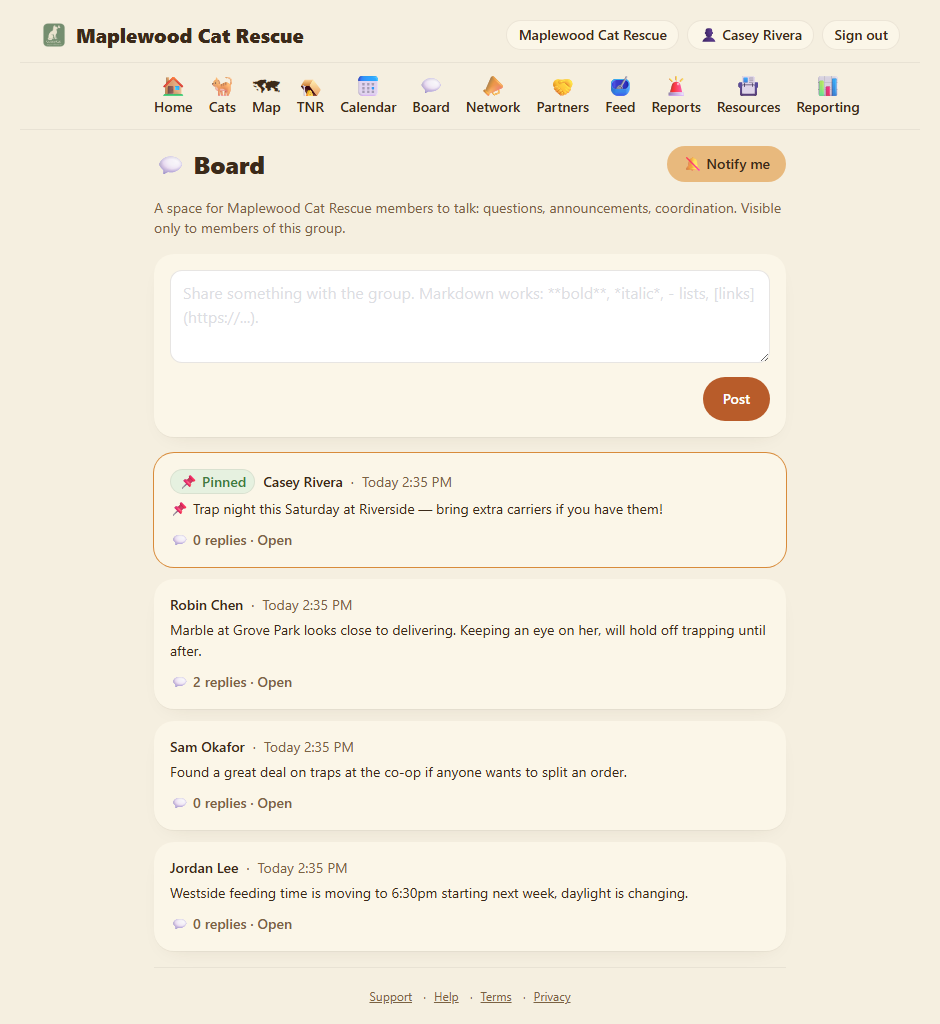
Everything here is visible to your group's members only. Nothing on the board ever shows on your public page or to other rescues.
Step 2: Post something
At the top of the board there's a box. Type your message and tap Post. It shows up at the top of the feed with your name and the time.
Posts support markdown, so you can use bold, italics, bullet lists, and links. See the markdown cheat sheet in the Tips chapter.
Step 3: Reply
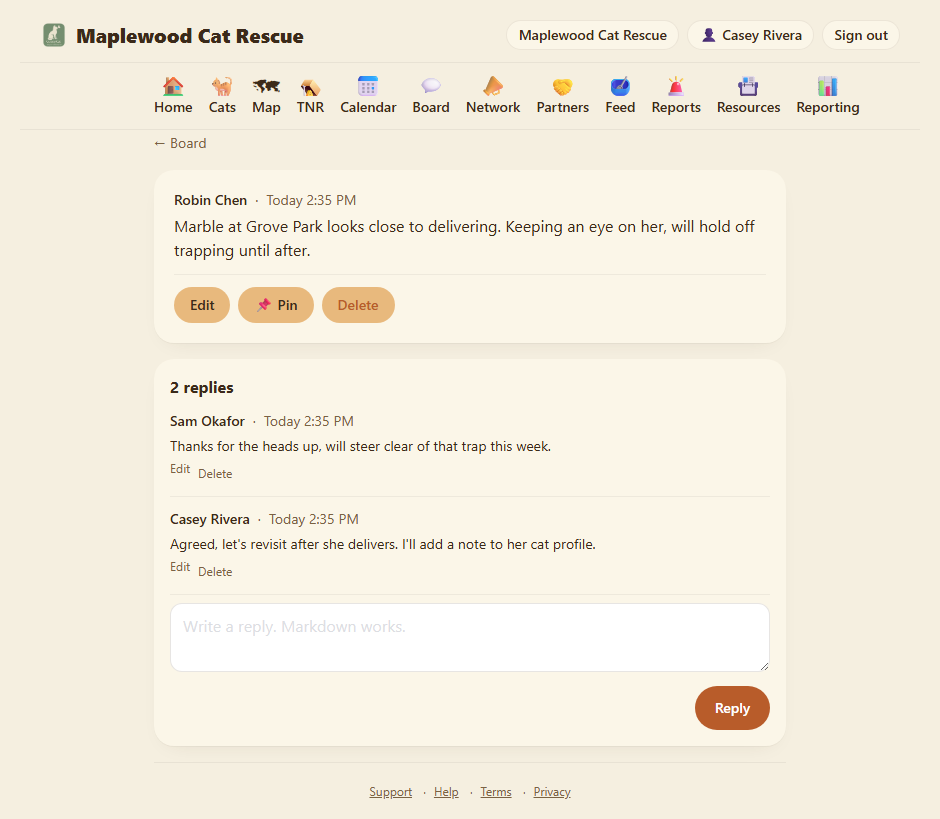
Tap 💬 replies (or Open) on any post to see its thread, then write a reply at the bottom. Replies keep a conversation together instead of starting a new post for every "sounds good."
Step 4: Pin and tidy up
Pin an important post (group norms, a standing reminder) so it stays at the top of the board. Pinning is for OrgAdmins and OrgStaff.
Edit or delete your own posts and replies anytime with the controls on the post. OrgAdmins and OrgStaff can edit or remove anyone's, for moderation.
Removing a post keeps the conversation. When a post with replies is removed, it's replaced by a [post removed] placeholder and the replies underneath stay readable, so a thread still makes sense. A removed post with no replies just disappears.
Step 5: Notifications
By default the board is quiet, it won't email you. If you want a heads-up about new posts, open the board and tap 🔕 Notify me. It turns into 🔔 Notifications on.
When it's on, you get one digest email a day listing the posts you haven't seen, and only on days there's something new. If you've already been in the app since the latest post (so you'd have seen the badge), we skip the email, no point telling you about something you've seen.
This setting is per group: if you belong to more than one rescue on ColonyCat, you can follow one group's board closely and leave another's quiet.
The unread count follows you. The number on the 💬 Board icon shows unread posts wherever you are in the app. If you've installed ColonyCat to your home screen, the app icon itself can show the count too (on devices that support it).
Where you are now
- Your group has a private place to talk that isn't a separate app.
- You can post, reply, and pin the things that matter.
- You control whether, and how often, the board emails you.
A few sanity-savers
- Members only. The board is never public. Only people in your rescue can read or post.
- No photo uploads on the board. It's built for text and quick coordination. To attach a photo to a cat, use the cat's profile gallery instead.
- Notifications are off until you ask. Nobody gets buried in board email by default. Turn it on per group when you want it.
- Be kind. It's a small team doing hard work. The board works best when it stays useful and friendly.
→ All chapters: Contents